
Experience lightning-fast internet speeds with cFosSpeed
- Boost your Home WiFi with ease
- No More Lag: Optimize Your Bandwidth for a Smoother Gaming Experience
- Boost your VoIP calls with Better Bandwidth Management
Key Features
Explore some of cFosSpeed’s unique features
Prioritization
With the cFosSpeed prioritization scheme, you can always give all your programs full bandwidth, because cFosSpeed decides which streams must be prioritized.
cFosSpeed Game Analyzer
Online games can be demanding. If you are in an important boss fight with a lot of action, players, and monsters on the screen and somehow the action gets jittery, the question is: Why?
Faster download speeds
Our users could speed up their downloads to 172% with cFosSpeed's RWIN Expansion.
Improve home Wifi
Redirecting your wifi traffic to your desktop, cFosSpeed will prioritize and improve the bandwidth in your home.
Great VoIP speech quality
cFosSpeed's Traffic Shaping technology keep ping times low and transfer rates consistently high at the same time.
Personalize and customize
Everything about cFosSpeed is customizable. The whole prioritization scheme is configurable and can be changed on-the-fly.
Prioritization - Your important streams first
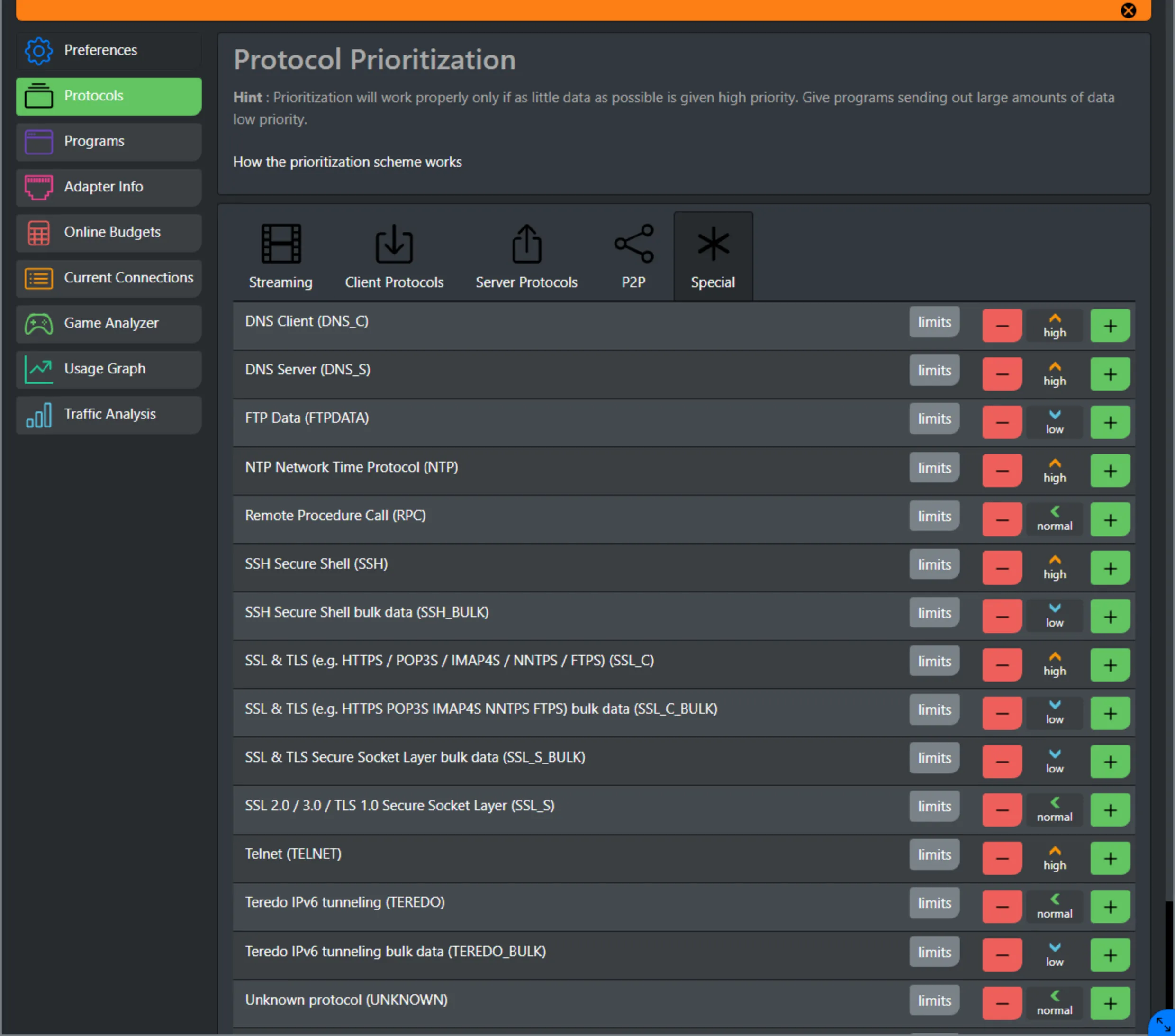
With the cFosSpeed prioritization scheme, you can always give all your programs full bandwidth, because cFosSpeed decides which streams must be prioritized.
For example Game-Traffic, VoIP, or Audio/Video content will be prioritized higher than uploads / downloads.
Your filesharing may use unlimited speed of your Internet connection, but it will be slowed down when you have important traffic. The whole prioritization scheme is configurable and you can change the prioritization on-the-fly.
cFosSpeed Game Analyzer
Online games can be demanding. If you are in an important boss fight with a lot of action, players, and monsters on the screen and somehow the action gets jittery, the question is: Why?
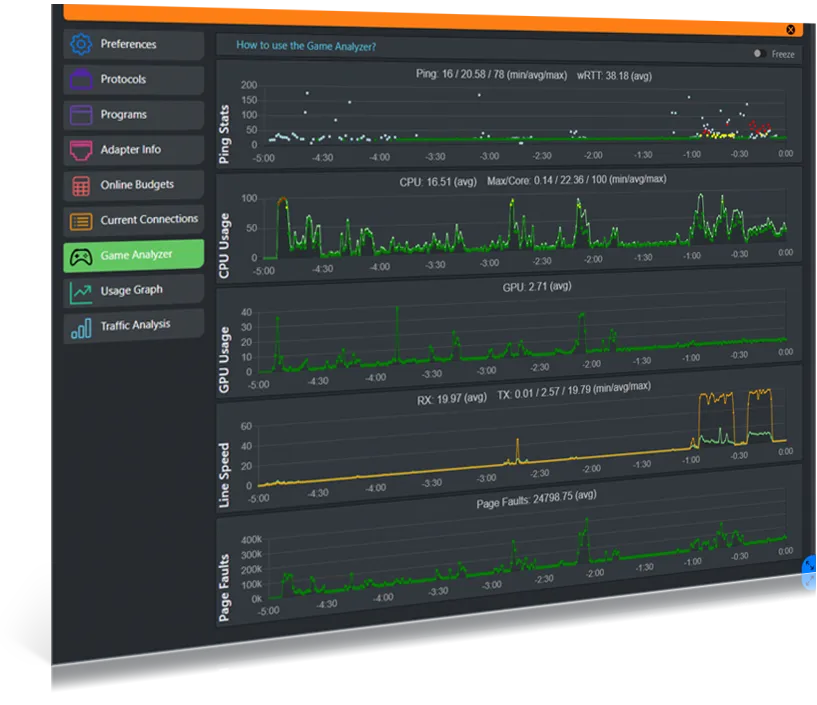
Does your Internet connection have too much latency? Is your CPU or one of its cores at its limit? Is your graphics card the limiting factor? Do you have too little system memory so paging slows your PC down? Does some program in the background unexpectedly use a lot of Internet bandwidth?
cFosSpeed Game Analyzer helps you find out. After a demanding event, you can open the Game Analyzer page and see a history of the most important performance statistics.
About the Software
Our goal is not only to provide faster and more reliable internet connectivity, but also to bring the benefits of the internet to those who have been left behind. We believe that access to the internet is a basic human right, and that everyone, regardless of their geographical location or socio-economic status, should have the opportunity to participate in the digital world. By providing a platform that is easy to use, affordable, and accessible to all, we hope to bridge the digital divide and create a more inclusive and equitable world.